Use the pointer
On the Mac with the Seeed XIAO, LiveUse talks to the board over USB. On any other computer on that network, the same pointer is an API and an MCP, gated by the token.
On this Mac
Plug in the board with the sketch running. The Device tab should say Connected, and the service should be listening. The bootloader does not start the service. When a newer firmware is published, this tab writes it onto the board.

Open Control and leave This machine selected. Write what you want done. The agent looks at the screen and uses the mouse and the keyboard. Closing the window leaves LiveUse in the menu bar.

From another computer
The Share tab on the Mac with the board shows the API URL, the token, and the MCP configuration. Anyone with that token on the local network can move the cursor and the keyboard. Issue a new token there when you want the old one to stop.

MCP
Point the agent at the MCP URL. The header is a bearer token. A second Mac, or a cluster of them, is the same shape with one server per machine.
{
  "mcpServers": {
    "liveuse": {
      "url": "http://192.168.1.20:8765/mcp",
      "headers": {
        "Authorization": "Bearer exampletoken"
      }
    }
  }
}
HTTP
The same token calls the API. A screenshot comes back as a PNG. A click moves the pointer first, then presses.
curl -H "Authorization: Bearer exampletoken" \
  http://192.168.1.20:8765/v1/size
curl -H "Authorization: Bearer exampletoken" \
-H "Content-Type: application/json" \
-d '{"x":120,"y":80}' \
http://192.168.1.20:8765/v1/clickcurl -H "Authorization: Bearer exampletoken" \
-o screen.png \
http://192.168.1.20:8765/v1/screenshotUseful calls are screenshot, click, move_to, write, and scroll. Coordinates start at the top left of the primary display.
Remote from LiveUse itself
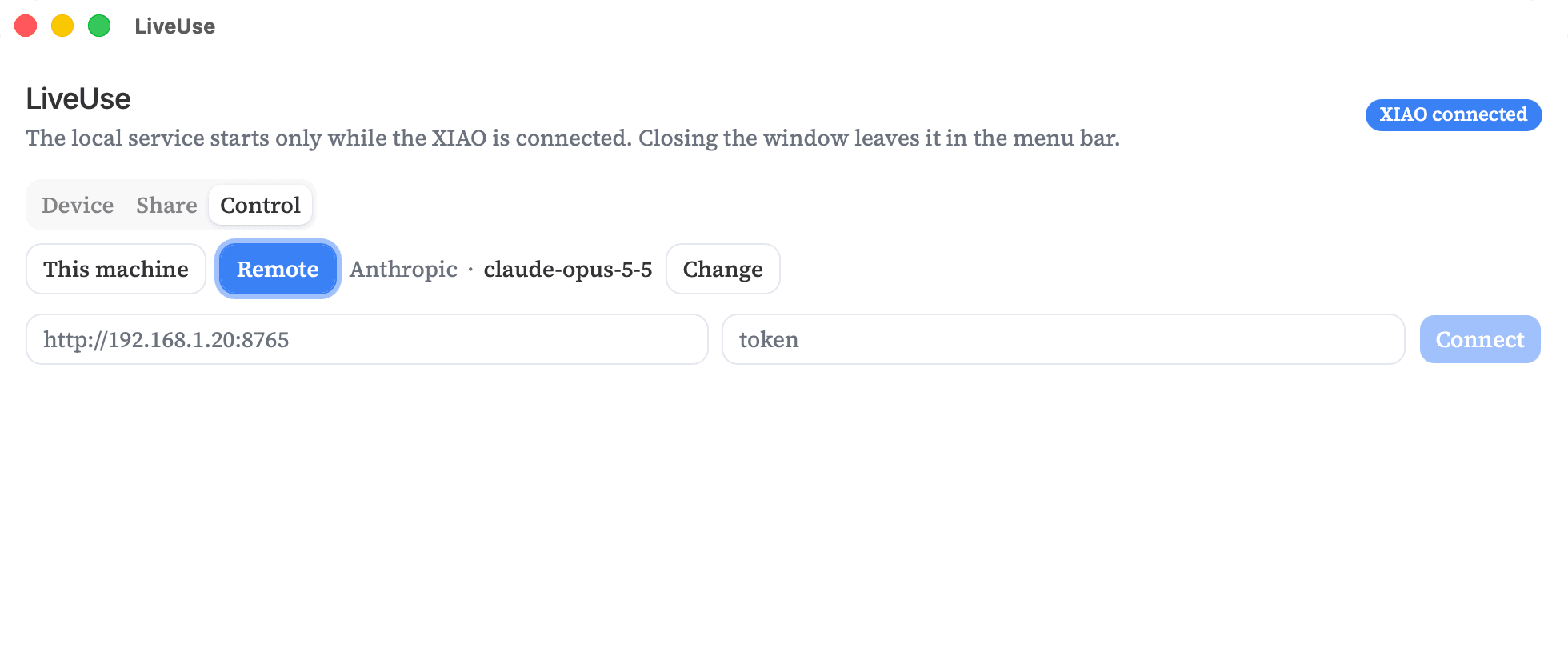
On the other computer, open Control, choose Remote, and paste the URL and the token from the first Mac. Connect. The chat on this computer then drives the pointer over there.
A cluster
Each Mac that should be driven needs its own board, its own LiveUse, and its own token. Give every server a name in the agent config. The agent then chooses which pointer to use.
{
  "mcpServers": {
    "desk": {
      "url": "http://192.168.1.20:8765/mcp",
      "headers": { "Authorization": "Bearer exampletoken" }
    },
    "bench": {
      "url": "http://192.168.1.21:8765/mcp",
      "headers": { "Authorization": "Bearer anothertoken" }
    }
  }
}
Desk and bench in that example are two computers on one network. The tokens are not interchangeable. Regenerate one and only that machine stops accepting the old token.
The board
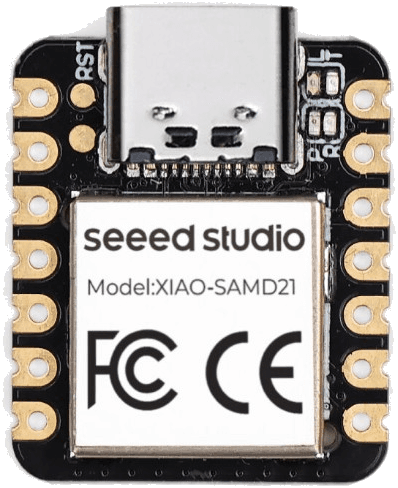
Today the sketch runs on a Seeed XIAO SAMD21. It uses FreeRTOS.
This is a work in progress. Other boards are being explored, and the first steps are underway for a smaller board that plugs straight into the computer. The desktop app is macOS for now. Linux and Windows are in progress.
Models
LiveUse does not ship a model. The pictures above use Anthropic, Claude Opus 5.5. Change, on the Control tab, saves whichever company and model look at the screen and call the pointer.
- Claude Opus 5.5 and Claude Fable 5.1. From Anthropic. Sonnet does this well too.
- Holo, Qwen, and UI-TARS. Built to use a computer, so they fit this job.
- GPT-6 Astra and GPT-5.4. From OpenAI.
- Gemini 3.1 Pro. From Google.
Other models that can read a screenshot and call tools also work. Press Control, Option, Command, and Escape together to abort the current action and open the window. Stop in the chat does the same thing.